Bxx Gen2 Software Update
FLASHEX support only next latest BMW's softwares:
- 5d55-040.190.007 (R4C9F4P7B) (22-03-508)
- 5d55-040.190.009 (R4C9F4P9B) (22-03-530)
- 5d55-050.190.007 (R4C9H5P7B) (22-03-508)
- 5d55-050.190.009 (R4C9H5P9B) (22-03-530)
- 5d55-050.200.008 (R4C9H5S8B) (23-03-470)
- 5d55-050.220.005 (R4C9H5V5B) (24-03-490)
- 5d55-050.230.005 (R4C9H5W5B) (25-03-470)
- 5d55-060.160.007 (R4C9H6P7B) (22-03-508)
- 5d55-060.160.009 (R4C9H6P9B) (22-03-530)
- 5d55-060.170.008 (R4C9H6S8B) (23-03-470)
- 5d55-060.190.005 (R4C9H6V5B) (24-03-490)
- 5d55-060.200.005 (R4C9H6W5B) (25-03-470)
- 5d55-070.090.007 (R4C9J7P7B) (22-03-508)
- 5d55-070.090.009 (R4C9J7P9B) (22-03-530)
- 5d55-070.100.008 (R4C9J7S8B) (23-03-470)
- 5d55-070.120.005 (R4C9J7V5B) (24-03-490)
- 5d55-070.130.005 (R4C9J7W5B) (25-03-470)
- 5d55-080.070.005 (R4C9L8P5B) (22-03-470)
- 5d55-080.072.007 (R4C9L8P7B) (22-03-508)
- 5d55-080.072.009 (R4C9L8P9B) (22-03-530)
- 5d55-080.072.012 (R4C9L8PCB) (22-03-560)
- 5d55-080.080.008 (R4C9L8S8B) (23-03-470)
- 5d55-080.090.005 (R4C9L8U5B) (24-03-460)
- 5d55-080.100.006 (R4C9L8V6B) (24-03-519)
- 5d55-080.140.005 (R4C9L8W9B) (25-03-490)
And, as far as Gen2 engines required bench unlock, it make sense to update software to latest version, before doing unlock.
Update required
If software version of your car required update, you will see next warnings in app.
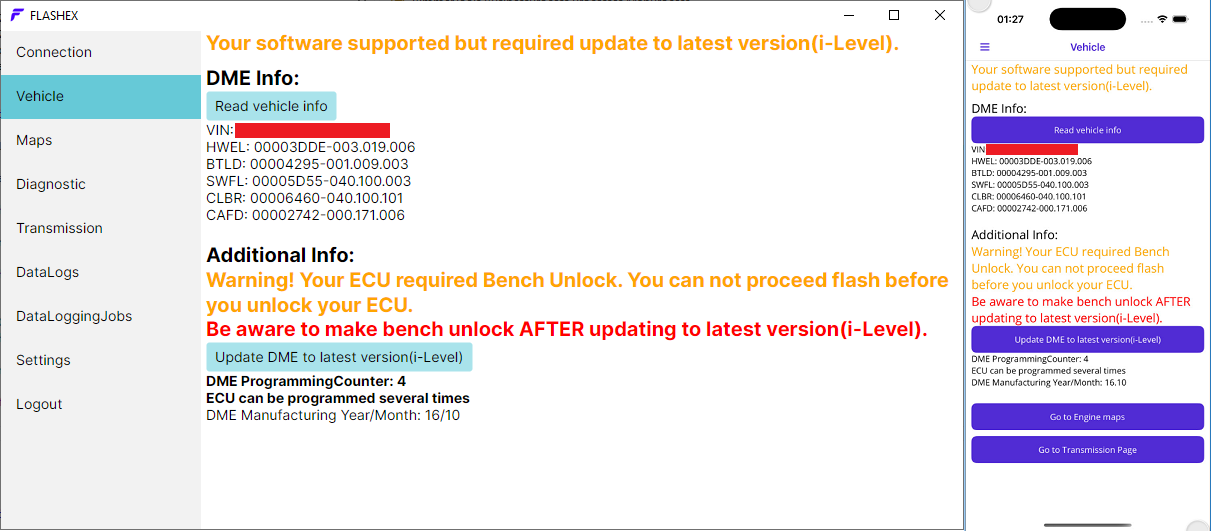
Updating DME to latest version(i-Level)
By clicking on button "Update DME to latest version(i-Level)" the new stock map will be created and you will be navigated to it.
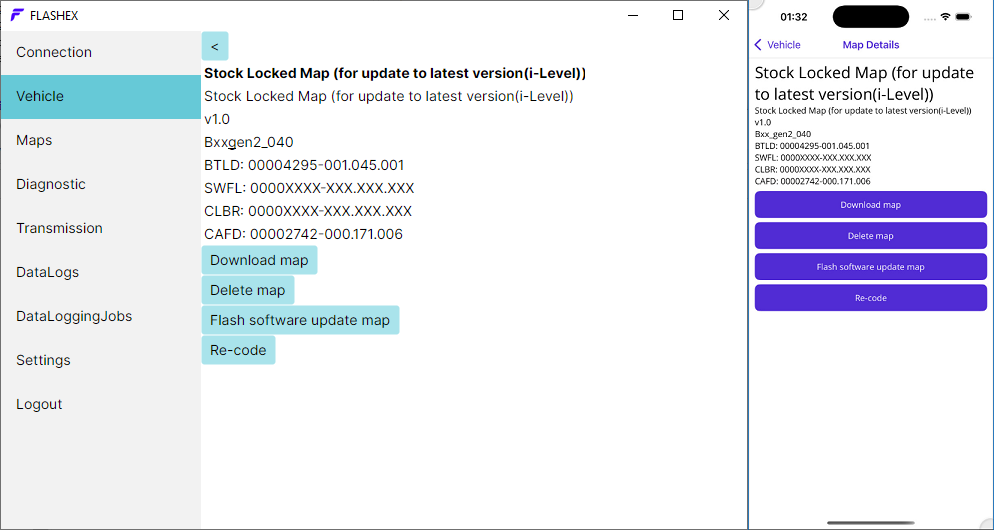
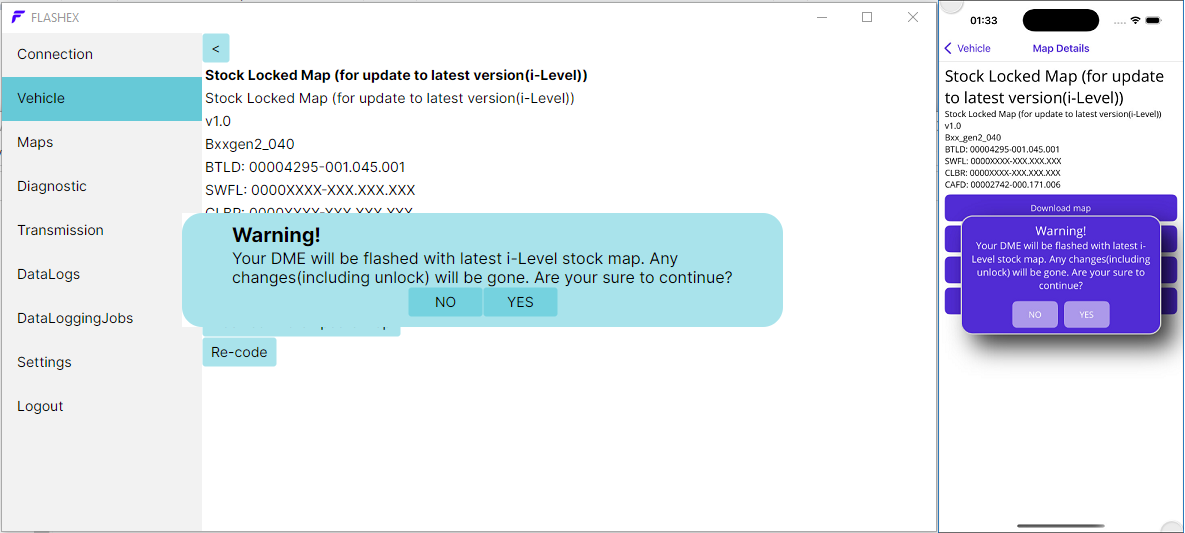
Flashing map with newest version
Before flashing DME with newest software map, you will be notified, that you DME will be flashed with full stock map, and any previous changes including bench unlock will be lost.
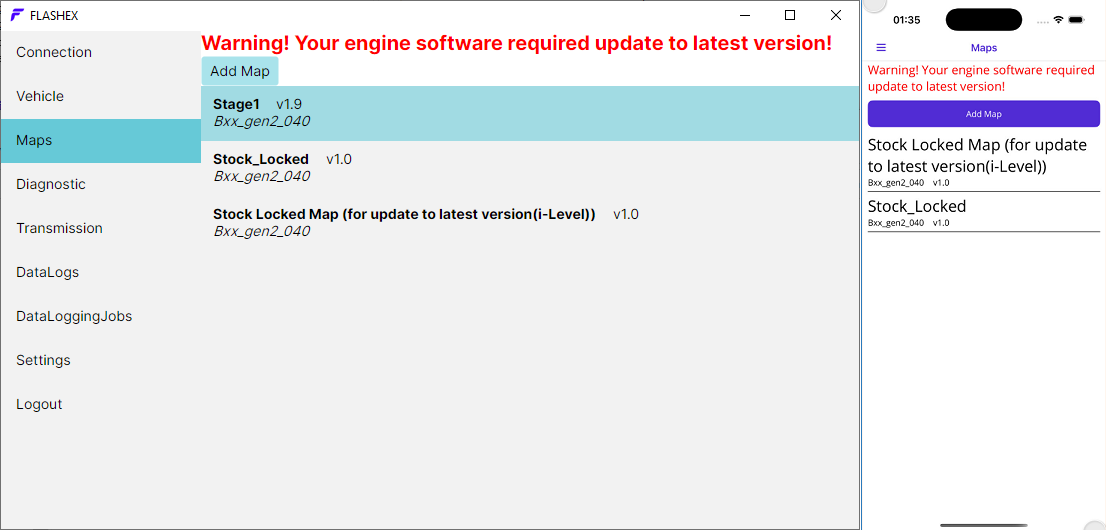
Additional notification about requiring to update software version
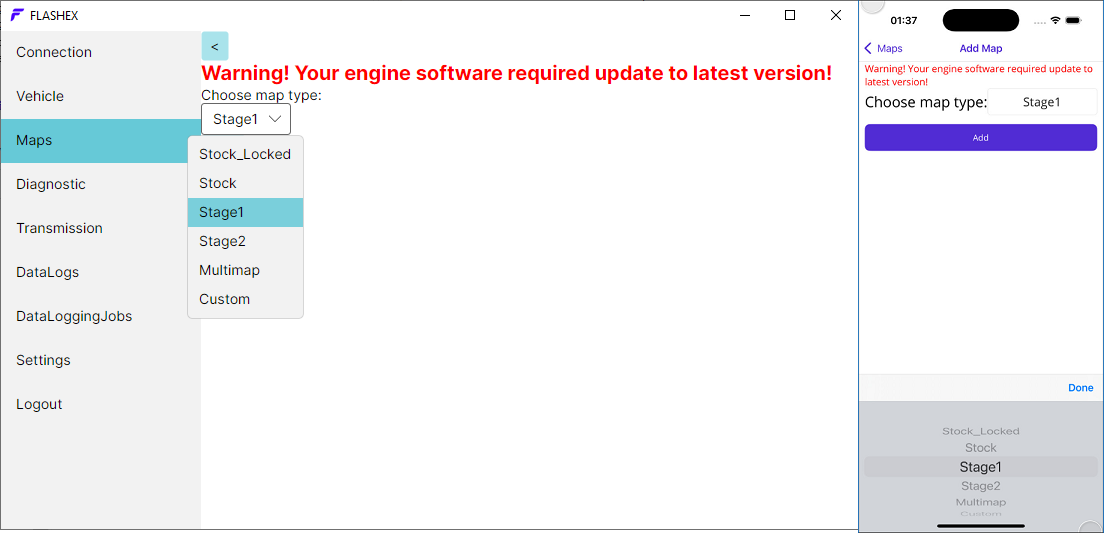
By adding stage1/stage2 maps, FLASHEX will add only maps of newest BMW's software versions. So, if your DME have some of previous versions - you will have additional warnings.
Trying to flash stage1/stage2 maps without update
Additional check/warning added before flashing newest map into DME, if current software version in DME is not newest possible.
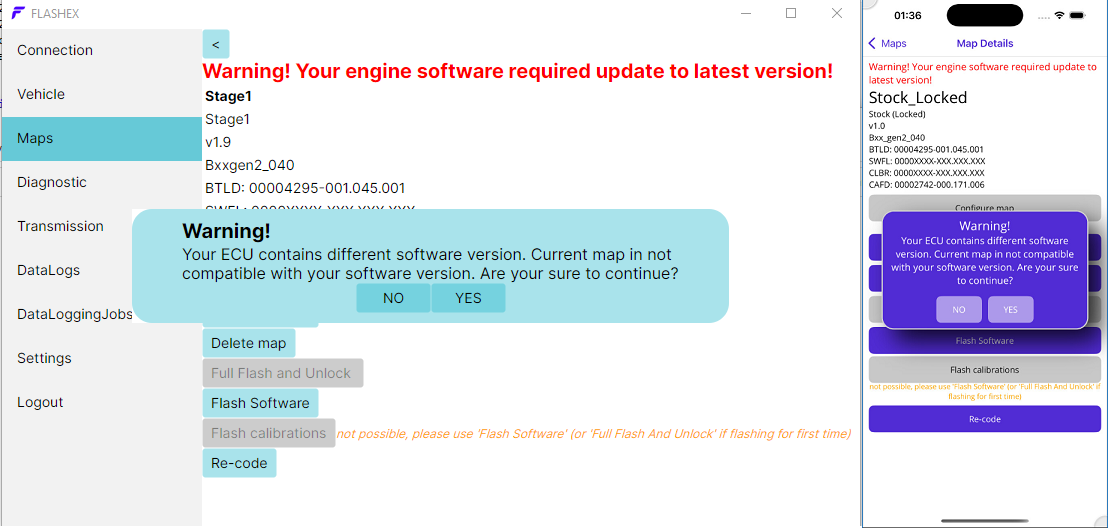
Attempting to add stage1/stage2 maps without update
Another warning/notification on "AddMaps" page.
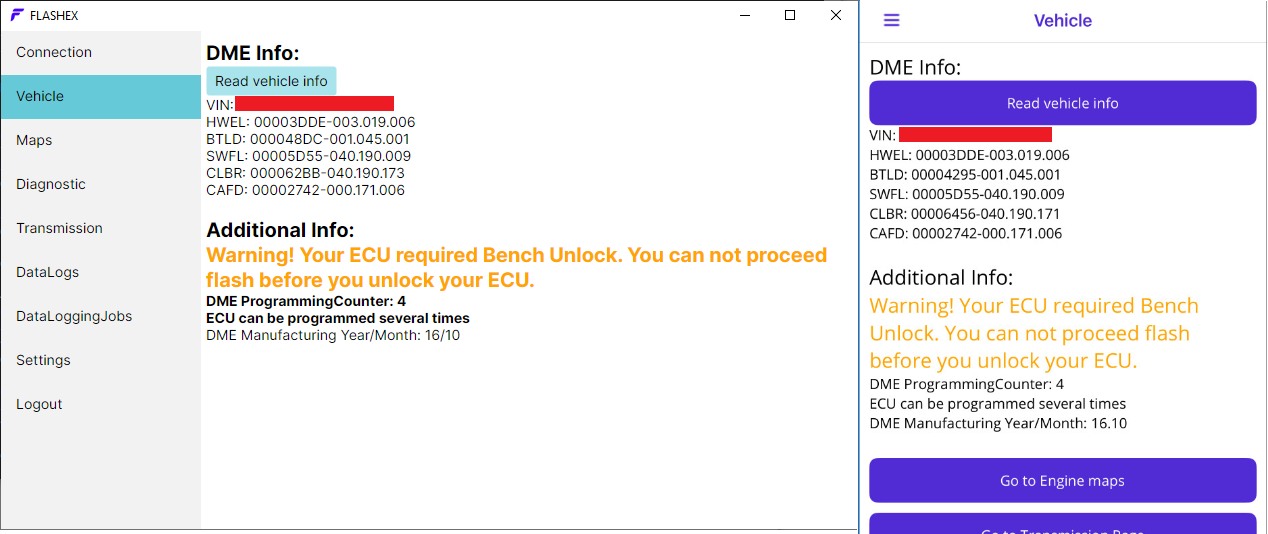
Compatible/latest softwares
Example of vehicle page with compatible(latest) software version. Same you will be seeing after updating/flashing to latest version.
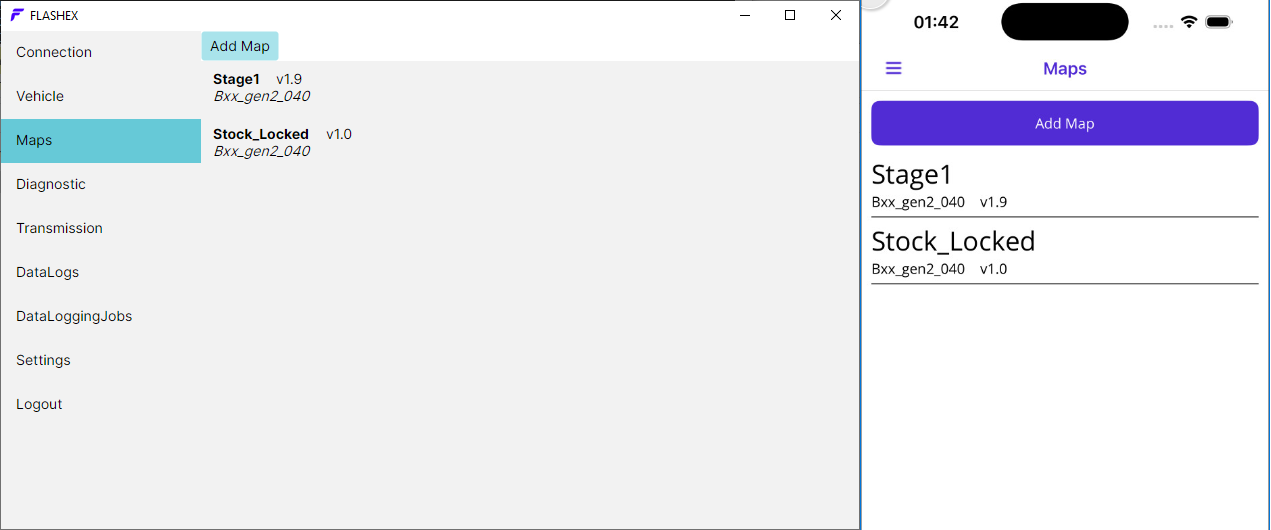
Maps list after update
After flashing/updating to latest version, the updating map will be removed from list of maps, and all other notifications/warnings will be gone.
Jump to
- Update required
- Updating DME to latest version(i-Level)
- Flashing map with newest version
- Additional notification about requiring to update software version
- Trying to flash stage1/stage2 maps without update
- Attempting to add stage1/stage2 maps without update
- Compatible/latest softwares
- Maps list after update